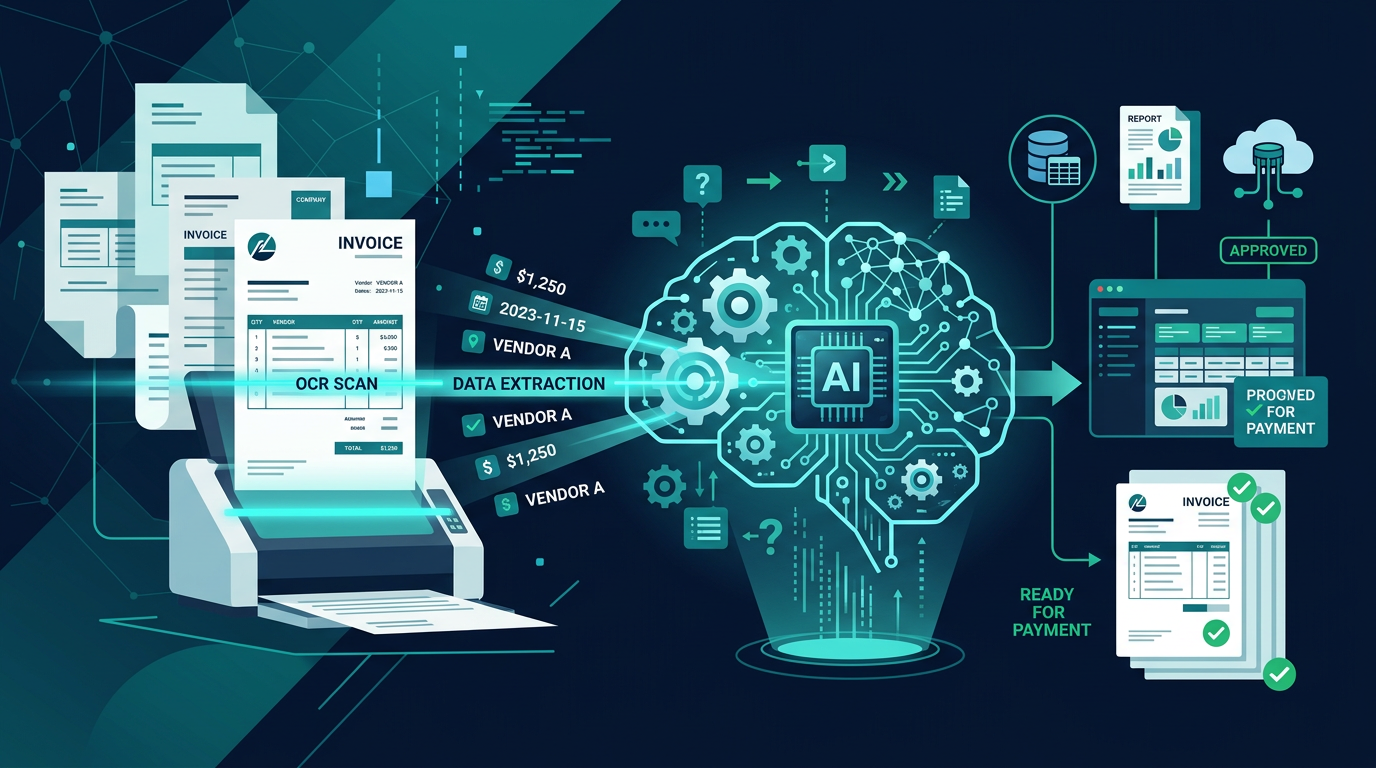
Automating invoice processing with AI — few topics are as timely for mid-sized companies right now. Starting January 1, 2027, e-invoicing becomes mandatory for B2B transactions in Germany. At the same time, studies show that manual invoice processing is among the most cost-intensive administrative processes: an average of 12–15 minutes per invoice, with error rates of 2–5%.
AI-powered automation reduces this effort to under 30 seconds per invoice — with recognition accuracy exceeding 97%. In this article, you'll learn how the technology works, which providers are suitable for mid-sized companies, and how to implement the transition step by step.
The E-Invoice Mandate 2027: Why Now Is the Right Time
Germany's Growth Opportunities Act makes e-invoicing mandatory for B2B transactions starting 2027. For mid-sized companies, this means:
- From 01/01/2027: All companies must be able to receive and process e-invoices.
- Formats: ZUGFeRD 2.x and XRechnung become the standard formats.
- Archiving: GoBD-compliant, audit-proof archiving is required.
Those who automate invoice processing now kill two birds with one stone: compliance obligations are met while simultaneously realizing significant efficiency gains.
How AI-Powered Invoice Processing Works
Modern AI systems for invoice processing combine multiple technologies:
Intelligent Document Processing (IDP)
IDP systems use a combination of OCR (Optical Character Recognition), Natural Language Processing (NLP), and Machine Learning to extract invoice data. Unlike conventional OCR, AI understands context: it recognizes that "net amount," "subtotal," or "Zwischensumme" refer to the same field — regardless of layout and language.
Automatic Coding and Verification
After data extraction, the AI automatically assigns the invoice to the correct general ledger accounts and cost centers. It learns from historical booking data and achieves coding accuracy of 90–95% after a training phase. Deviations from purchase orders or unusual amounts are automatically flagged for manual review.
Workflow Automation
The entire approval process is digitized: automatic assignment to the responsible approver, escalation for delays, digital signature, and automatic transfer to accounting software or the ERP system.
Provider Comparison: Which Solution Fits Your Company?
The market for AI-powered invoice processing is diverse. Three categories are relevant for mid-sized companies:
Category 1: Specialized AI Invoice Solutions
Providers like GetMyInvoices, Candis, or Spendesk offer cloud-based solutions specifically developed for invoice processing. Advantages: fast implementation (2–4 weeks), low entry costs, intuitive operation. Disadvantage: limited customizability for complex processes.
Category 2: ERP-Integrated Modules
SAP, Microsoft Dynamics, DATEV, and other ERP providers increasingly offer AI-powered invoice processing modules. Advantage: seamless integration into existing systems. Disadvantage: often higher costs and longer implementation times.
Category 3: Custom AI Automation
For companies with specific requirements — such as industry-specific invoice formats, multiple ERP systems, or complex approval processes — specialized service providers offer tailored solutions. Advantage: maximum customization. Disadvantage: higher initial effort.
Decision Guide
- Under 200 invoices/month: Specialized cloud solution with standard connection
- 200–1,000 invoices/month: ERP-integrated module or specialized solution with API connection
- Over 1,000 invoices/month: Custom AI solution with deep system integration
Step by Step: Automating Invoice Processing
Phase 1: Assessment (Week 1)
Document the current state of your invoice processing:
- How many incoming invoices do you process per month?
- What formats do you receive (PDF, paper, email, e-invoice)?
- What does your approval process look like (number of stages, people involved)?
- Which systems are involved (ERP, accounting, DMS)?
- What is your current error rate?
Phase 2: Solution Selection (Week 2)
Based on the assessment, select the appropriate solution. Pay attention to:
- Support for ZUGFeRD and XRechnung
- GDPR-compliant data processing (ideally hosted in Germany)
- Interfaces to your ERP system
- AI learning capability (improvement through usage)
- Transparent pricing without hidden costs
Phase 3: Implementation (Weeks 3–5)
The technical implementation includes:
- System connection and interface configuration
- Upload of historical invoices for AI training
- Configuration of coding logic and approval workflows
- Test run with real invoices
Phase 4: Optimization and Rollout (Weeks 5–8)
In the first weeks after go-live, monitor recognition accuracy and correct misassignments. The AI learns from every correction and continuously improves. After 4–6 weeks, most systems achieve stable accuracy above 95%.
Case Study: Trading Company Reduces Costs by 78%
A mid-sized trading company from Hamburg (120 employees, 800 incoming invoices/month) automated its invoice processing with a specialized AI solution:
- Before: 2.5 full-time positions for invoice processing, average 14 minutes per invoice, error rate 3.2%
- After: 0.5 full-time positions for exceptions and oversight, average 35 seconds per invoice, error rate 0.3%
- Savings: 2 full-time positions = approx. €140,000/year with an investment of €38,000 (implementation) + €1,200/month (ongoing)
- ROI in the first year: 320%
Avoiding Common Automation Mistakes
- Too much at once: Start with incoming invoices before integrating outgoing invoices and credit notes.
- Underestimating data quality: Ensure your master data (suppliers, general ledger accounts, cost centers) is current and consistent.
- Not involving employees: The accounting team must be involved in the project from the start — their expertise is indispensable for configuring exception rules.
- Ignoring GDPR: Check where invoice data is processed and stored. Prefer solutions hosted in the EU — ideally Germany.
Next Step: Check Your Invoice Processing Automation Potential
How much can you save with automated invoice processing? In our free ProcessCheck, we analyze your current invoice process, calculate your individual savings potential, and recommend the right solution category for your company.
Book your free ProcessCheck now at ProzessAutomatisierung.ai — and learn how to turn the e-invoice mandate into an efficiency boost.